
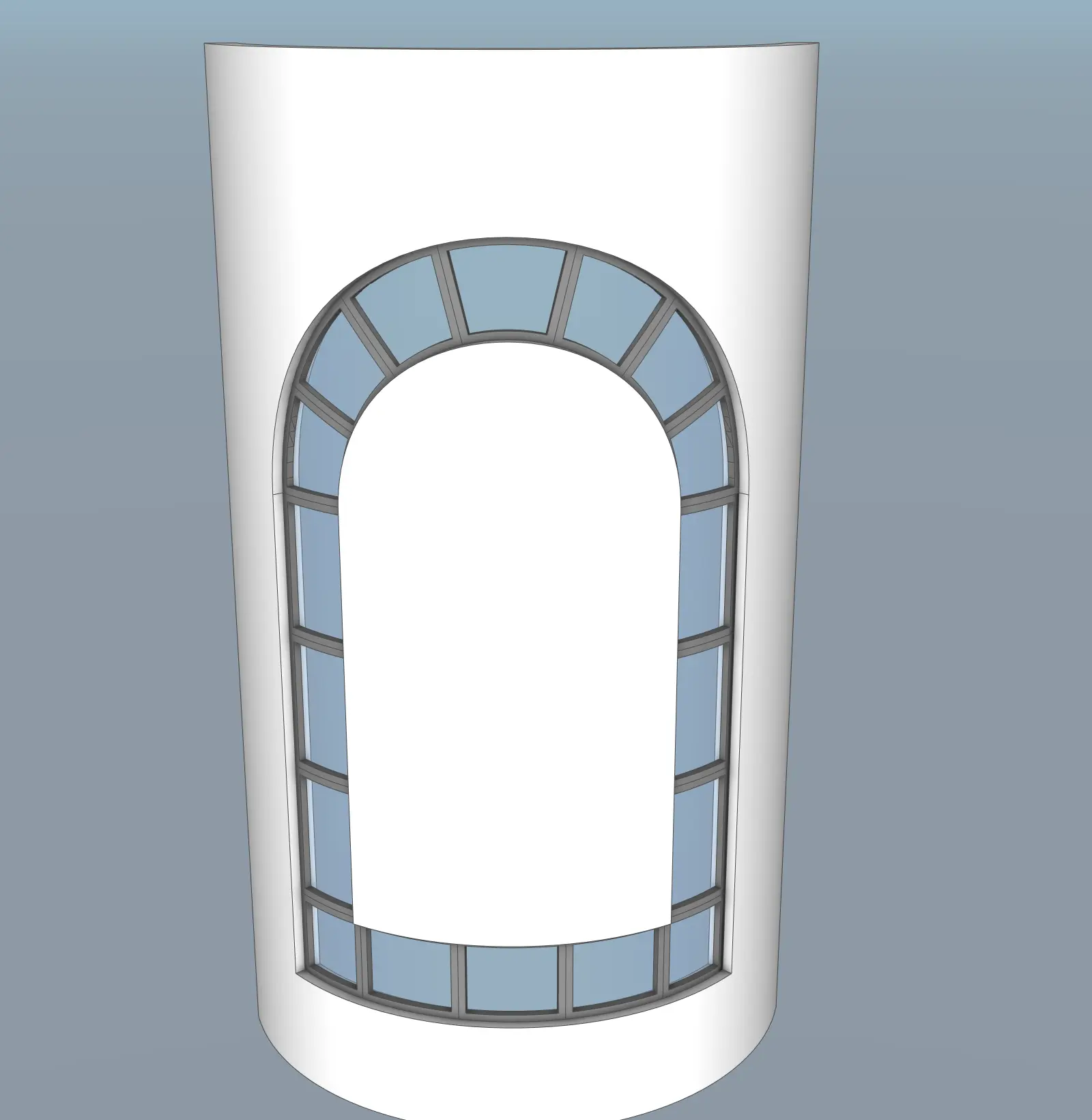
Description
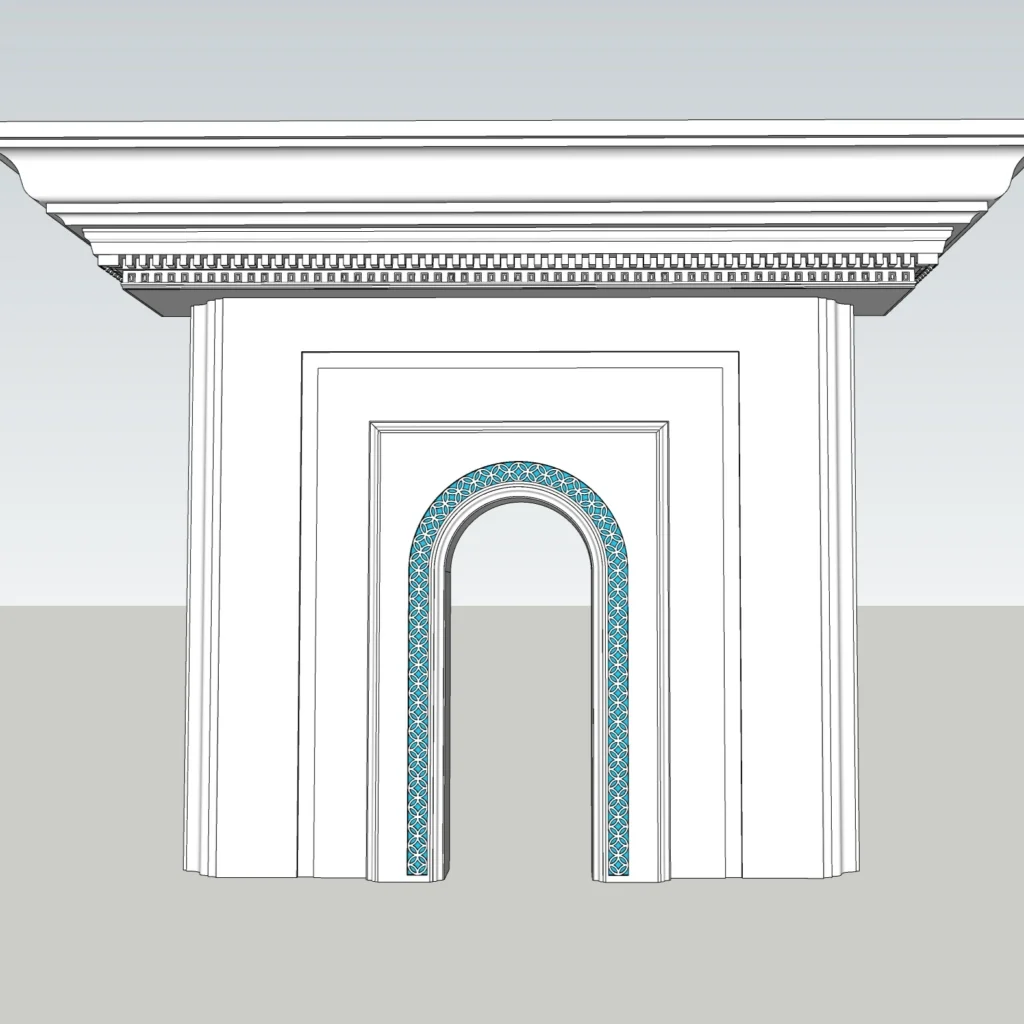
This free arched window frame SketchUp model features a clean and elegant curved design with smooth geometry and balanced proportions. The classic arch form makes it suitable for both traditional and modern architectural styles, adding character and depth to any project.
Designed for flexibility and real-world use, this model can be easily integrated into interior or exterior scenes. Whether you’re working on façade design or interior visualization, it provides a refined architectural detail that enhances overall realism.
Design Concept
The design is based on a timeless arched form that blends classical aesthetics with modern simplicity.
-
Smooth curved arch for a soft and elegant look
-
Balanced proportions for architectural harmony
-
Clean geometry for versatile use
-
Suitable for both classic and contemporary projects
This type of window frame is often used to create visually appealing focal points in façades and interiors.
Use Cases
This SketchUp model is suitable for:
-
Interior design projects
-
Exterior façade design
-
Classical architecture concepts
-
Modern luxury interiors
-
Architectural visualization scenes
SketchUp Workflow & Model Quality
This model is built with professional standards:
-
Clean and organized geometry
-
Lightweight and optimized for performance
-
Real-world scale and accurate proportions
-
Easy to edit and customize
-
Compatible with SketchUp 2020
Rendering Tips
To achieve realistic and high-quality results:
-
Use natural lighting to highlight the arch shape
-
Apply realistic materials such as stone, wood, or plaster
-
Add subtle shadows for depth
-
Use D5 Render, V-Ray, or Lumion for best output
This model is also suitable for AI-assisted rendering workflows.
AI Workflow Integration
You can enhance this model using AI-powered tools to achieve faster and more realistic results.
👉 Explore AI tools for SketchUp
https://nicetowers.com/suapp-ai
Using AI workflows allows you to improve materials, lighting, and overall presentation quality.
Explore More Free & Premium Models
👉 SketchUp 3D Models Library
https://www.nicetowers.com/sketchup-3d-models
👉 SketchUp Workflow Tutorials
https://nicetowers.com/sketchup-workflow
👉 AI Rendering with SketchUp
https://nicetowers.com/sketchup-ai-rendering
👉 Online SketchUp Courses
https://nicetowers.com/online-sketchup-courses
FAQ
Is this model free?
Yes, it is available for free use in personal and professional projects.
Which SketchUp version is supported?
SketchUp 2020.
Can I edit the model?
Yes, it is fully customizable.
Is it suitable for rendering?
Yes, optimized for both real-time and photorealistic rendering.
Model Details
-
File Format: SketchUp 2020 (.skp)
-
Geometry: Clean and optimized
-
Scale: Real-world
-
Materials: Included
-
Editable: Yes
License & Usage
-
Free for personal and commercial use
-
Redistribution is not allowed
-
Modification is allowed
Why This Model?
-
Classic arched architectural design
-
Suitable for interior and exterior projects
-
Lightweight and optimized
-
Ready for rendering workflows
-
Designed by Nice Tower
Related SketchUp models
Modern Arched Corridor Passage SketchUp Model – Vaulted Interior Arcade (Free) · Wall-Mounted Console Tables with Arched Panels – Modern Interior Feature Wall SketchUp Model (Free)
Reviews
There are no reviews yet.