
Nice Tower · Pattern design guide
NT Smart Panel: Islamic Pattern Design in SketchUp
Use NT Smart Panel to explore Islamic geometric patterns in SketchUp: arched screens, star-and-polygon lattices and rosette-style panels. Compare the actual model previews below, learn how scale and borders affect the design, then try the free plugin or download the example collection at the end of the page.
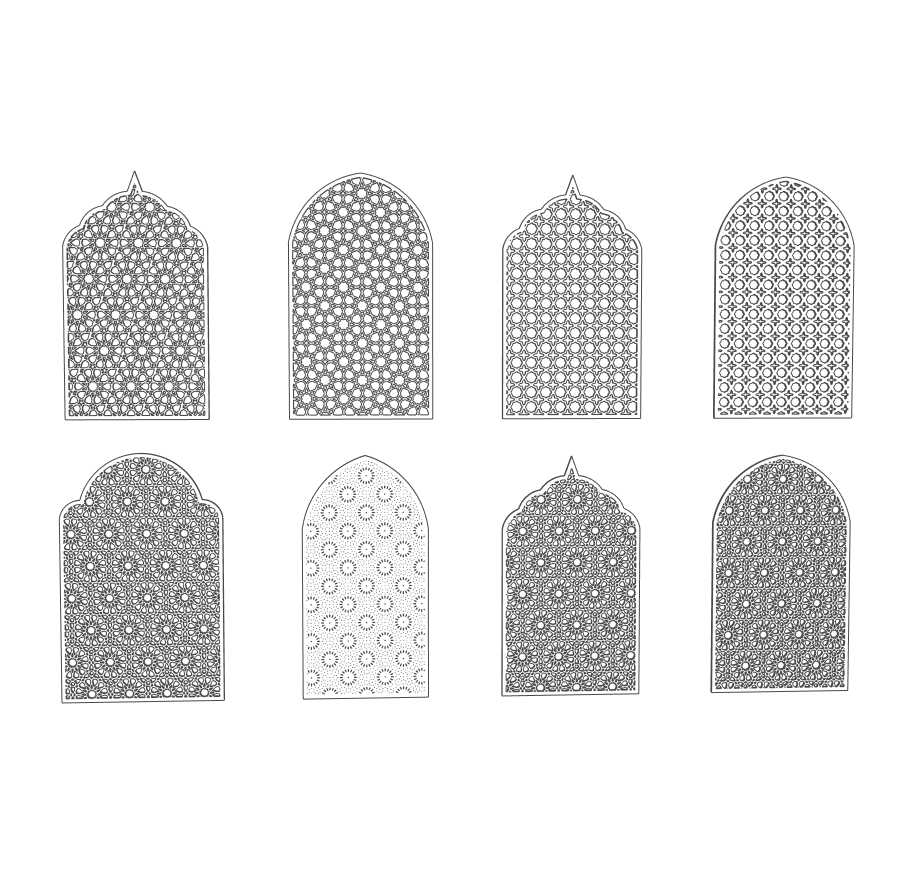
Six views: choose a geometric panel design
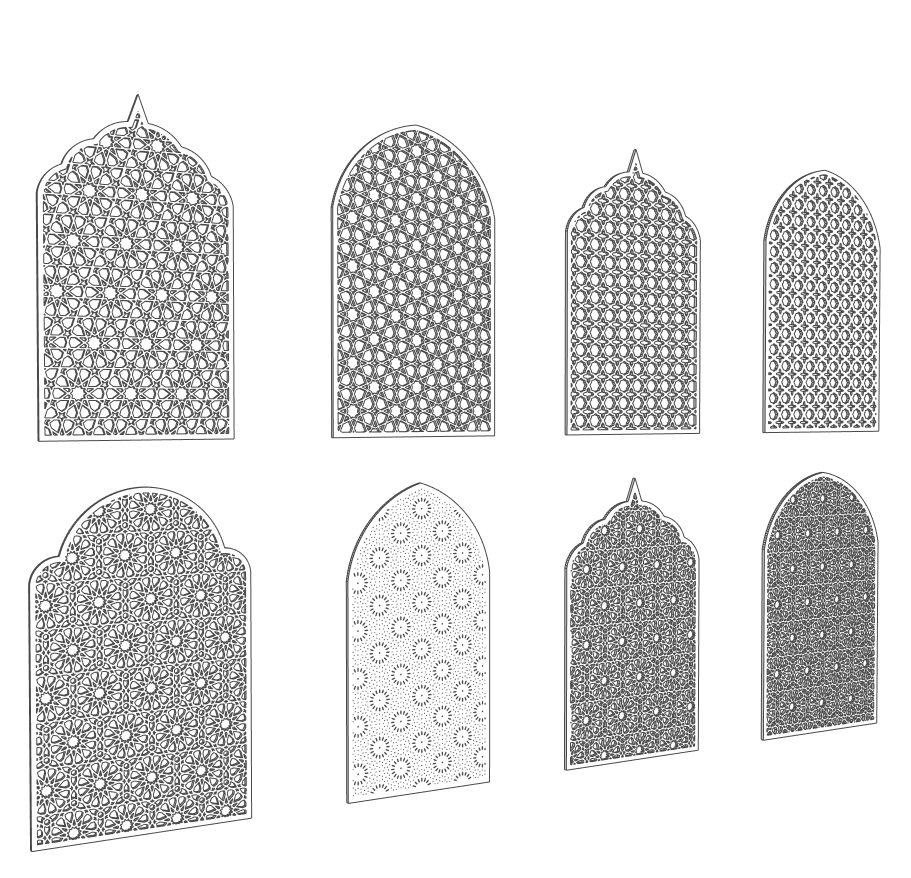
1. Compare the arch and the repeat
The front study shows eight panels. Some have rounded crowns; others use a pointed or multifoil outline. Compare the same pattern density inside different borders before deciding which silhouette suits a window, niche or room divider.
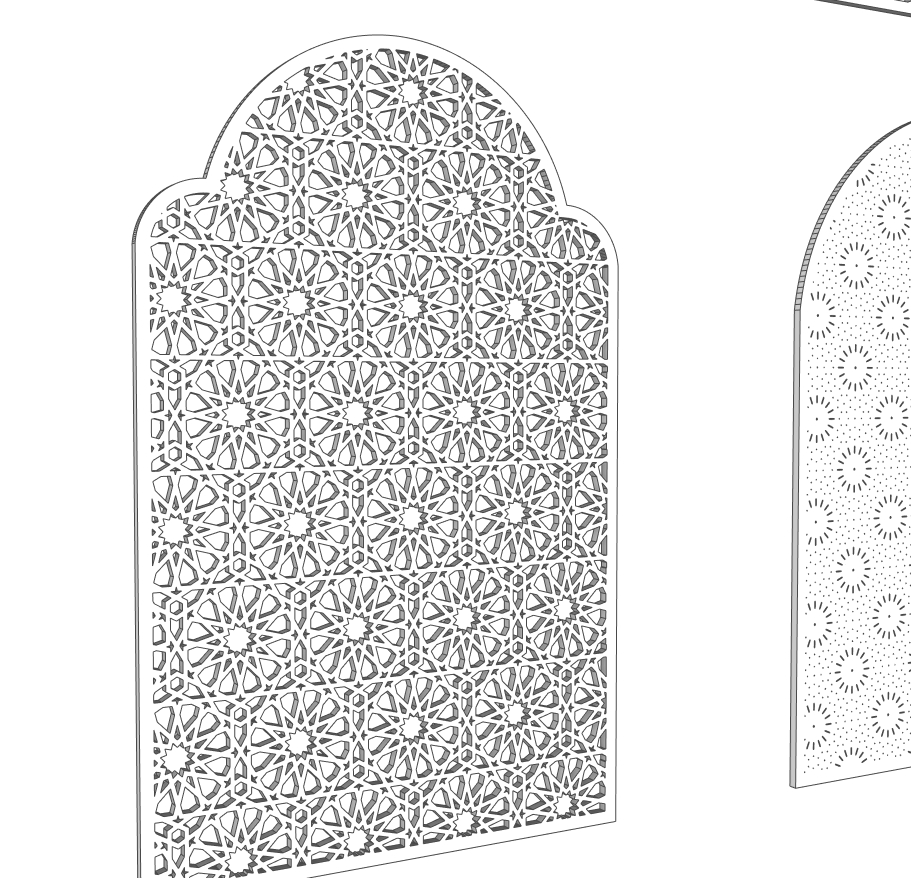
2. Large star-and-polygon composition
The close-up reveals broad star centres connected by smaller polygon openings. This design reads as individual motifs rather than a uniform mesh. Use the repeat scale to keep a recognisable centre within a narrow panel instead of leaving only fragments at its edges.
3. Balanced front-elevation study
A straight-on view is useful for checking alignment. Compare the margin at both sides, the lowest row and the transition into the crown. A strong border helps distinguish the panel outline from the finer geometric pattern within it.
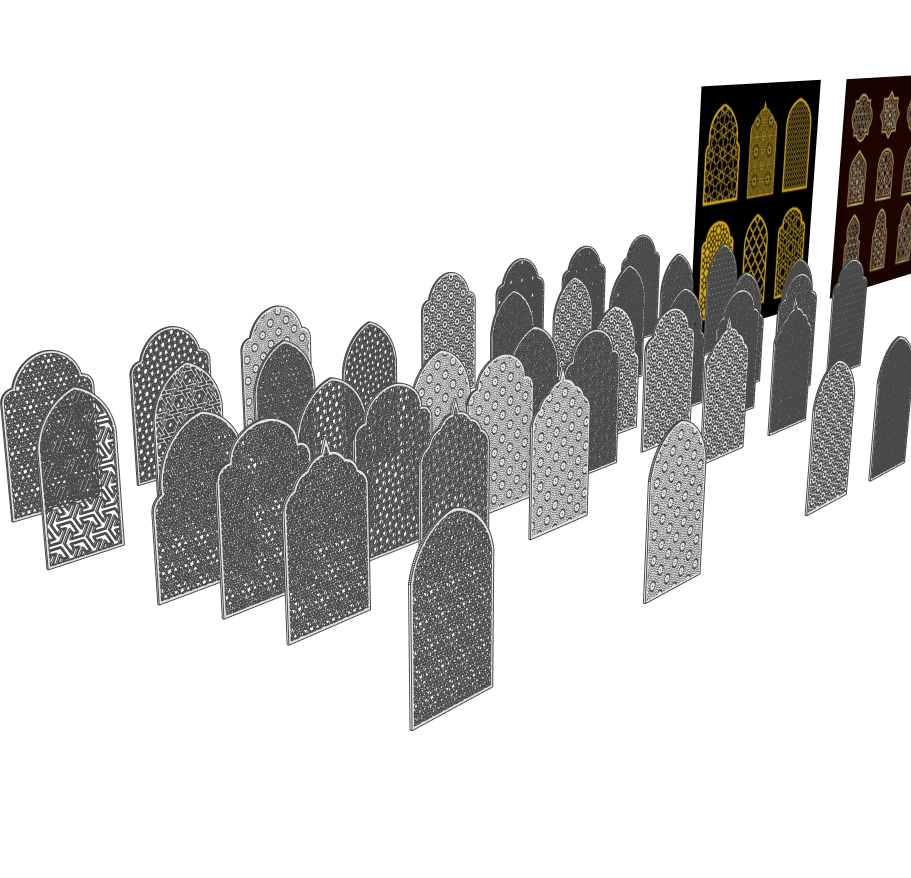
4. Compare multiple screen alternatives
The perspective view places many screens together. Use a similar scene to shortlist alternatives under the same camera and material. Keep the chosen panels separate from the comparison set so a presentation does not become an unnecessarily heavy model.
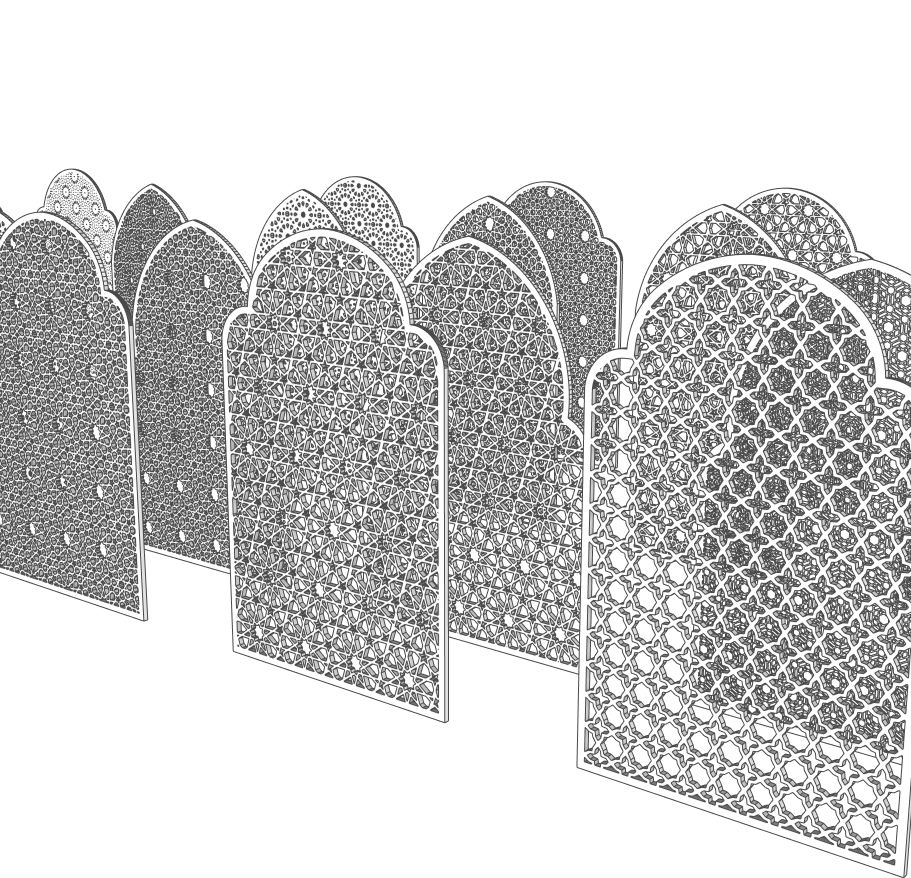
5. Bold openings versus fine lattice
The foreground contrasts larger angular openings with much smaller repeated cutouts. Larger openings can remain legible from across a room; finer meshes create a denser visual texture. Judge both in the actual viewing distance rather than from a close-up alone.
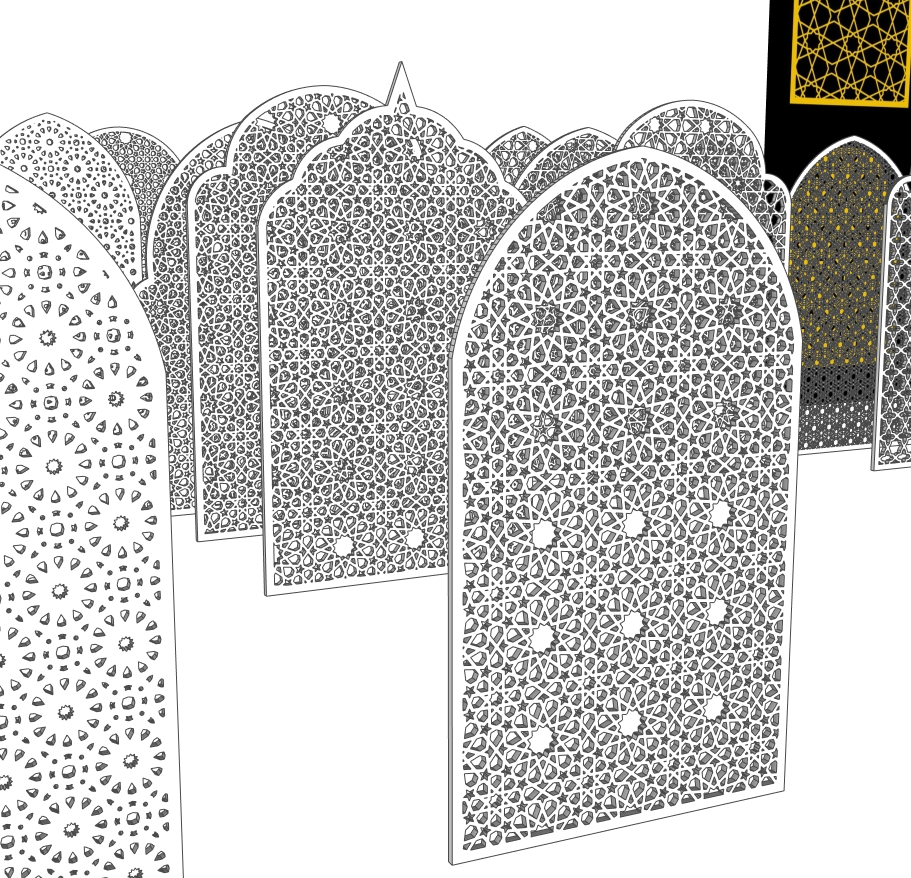
6. Rosette detail and layered depth
The close perspective shows repeated star and rosette-like units across pointed and rounded arches. Inspect the intersections and perimeter in both front and oblique views. Thickness and finish can change the appearance even when the two-dimensional repeat stays the same.
Choose the pattern by the design task
A decorative screen is more than a repeated motif. Its arch profile, the size of each opening and the width of the surrounding border all affect how the panel reads within a room or facade study. These examples are useful for mashrabiya-style screens, jali-inspired partitions, decorative wall inserts and architectural visualisation. They are visual design studies rather than certified building details.
| Visible design family | What makes it different | Useful comparison |
|---|---|---|
| Star and polygon lattice | Larger star centres connect through smaller angular openings. | Compare a full motif at the centre with cropped motifs along the frame. |
| Regular small-opening grid | Compact repeats create a more even texture across the face. | Look at the panel from the intended camera distance; a dense mesh may lose detail in a small render. |
| Rosette-like composition | Radial groups introduce a circular rhythm inside an arched boundary. | Check the relationship between each rosette and the curved crown. |
| More widely spaced perforations | Smaller isolated openings leave more visible solid surface between them. | Use the same material and lighting as a dense screen to compare their character fairly. |
| Pointed, round and multifoil arches | The perimeter changes even where the internal repeat looks related. | Test the silhouette against the adjoining wall, niche or doorway proportions. |
Use a 3D wall panel SketchUp study in an interior
For a decorative wall panel, compare the screen against the actual wall opening and surrounding furniture. Keep the panel separate from the wall while testing its proportions; a screen with cutouts is not the same as a solid wall cladding system. Review the back face, border and clearance in a perspective view before choosing a pattern.
Keep one reference dimension
Set the overall panel size before judging the pattern. Compare alternatives at the same height and camera distance. If you change scale, review the border and the smallest remaining connections. Treat the panel as a separate object so the surrounding architecture remains easy to edit.
Use material and light as design tests
A pale material makes the openings easy to read; a darker finish emphasises the silhouette. Test an oblique view to see thickness and the rear face. A rendered shadow can help you discuss visual character, but it does not establish a measured daylight, ventilation or privacy performance.
From model study to a fabricated panel
Before CNC routing or laser cutting, a fabricator needs verified dimensions, material thickness, minimum connection widths and a suitable cutting file. Inspect the geometry and tool-clearance requirements separately. Downloading this SKP or generating a pattern is not a manufacturing approval.
For the wider design context, explore the Metropolitan Museum’s introduction to Islamic geometric patterns. For the software steps, use our NT Smart Panel plugin workflow.
Watch NT Smart Panel in a short demonstration
Play the uploaded clip to see the panel examples in motion. Pause it to compare the visible repeat, arch outline and screen density with the still images.
The video loads when you choose to play it. The six WebP images above remain available for close inspection.
Download the free plugin or choose Pro
NT Smart Panel 0.5.3 is the SketchUp extension used to create patterned panels. The plugin installer is separate from the example SKP collection.
| Option | What is included | When to choose it |
|---|---|---|
| Free version | 14 usable patterns without a license key; preview all 37 patterns. | Install the tool and test the available free designs on your own SketchUp setup. |
| Pro license | Unlocks the 23 additional patterns in the same installer. | Choose it when a required pattern is outside the free set. |
The current Nice Tower product listing is US$10, one payment, for one user on up to two installations. Confirm the current offer on the purchase page. Initial Pro activation requires internet access.
Extract the ZIP, then install the included RBZ through SketchUp Extension Manager. Do not unzip the RBZ. No purchase is needed for the 14 free patterns. Desktop compatibility should be tested with the free version; the product lists 2018–2027 as target versions, not a guarantee for every installation.
Continue the design workflow
Develop a setting for the screen with our SketchUp interior design resources, compare more tools in Free SketchUp Plugins, or study the panel model collection on Nice Tower Plus. The example file and plugin serve different purposes: one provides geometry to inspect, while the other helps generate and adjust your own panels.
Are the six images six separate patterns or downloads?
No. They are six views of a broader panel example collection. Several designs appear in the same view, and the final SKP button links to one supplied file.
Does the free plugin require buying Pro first?
No. The current free version provides 14 usable patterns without a license key and previews all 37. Pro unlocks the additional 23 patterns in the same installer.
Download the SketchUp panel example collection
NT Smart Panel Islamic Pattern update-v_2018.skp · SKP model · 59.35 MB. This is the example geometry file, not the plugin installer or a Pro license.
Use the sample to compare the visible panel designs in SketchUp. Keep a working copy and check dimensions and geometry before placing a sample in your own scene.
Download sample SKP · Google Drive ↗Google Drive opens the file page and may display a download confirmation for this large file. Manufacturing dimensions, fixing details and material specifications need separate verification.