Table of Contents
Watch From SketchUp Tutorials to Portfolio-Ready Projects on Nice Tower →
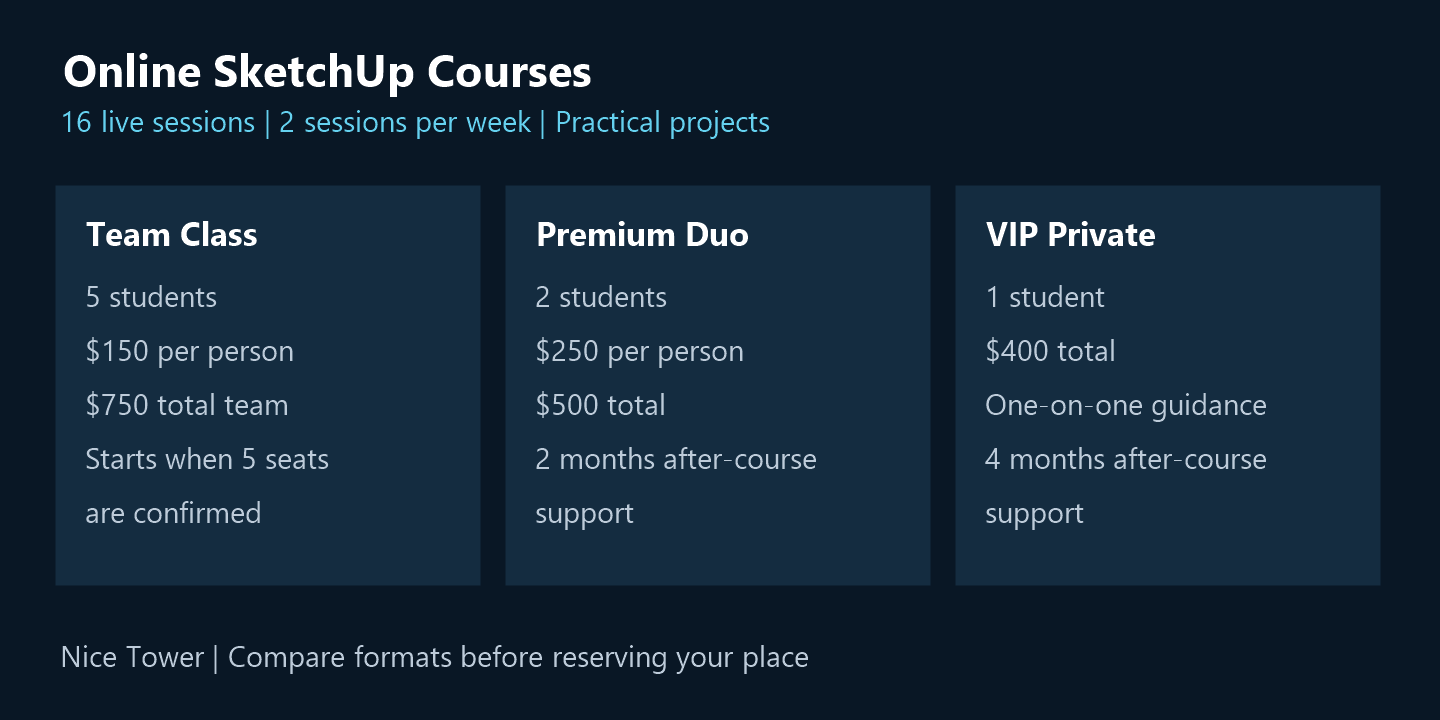
Online SketchUp Courses
A practical learning path. A class that fits you.
Build your skills with online SketchUp courses through 16 live sessions, practical projects and direct instructor guidance. Our online SketchUp courses share the same structured foundation, with three class formats to match your learning goals, budget and preferred level of attention.
Learn alongside five students in a Team Class, share focused guidance with one partner in Premium Duo, or choose one-to-one VIP Private training. Compare the class sizes, prices and support periods below, then contact us about scheduling before reserving your place.
Online SketchUp Courses: Choose Your Live Class.
Our online SketchUp courses offer the same practical 16-session learning journey, offered in three class formats so you can choose the level of attention, privacy and budget that works best for you.
Team Class
Learn with friends, classmates or colleagues at the lowest price per student.
5 students · $750 total team
- ✓Live class for 5 students
- ✓16 live online sessions
- ✓Core SketchUp workflows
- ✓Practical exercises and projects
- ✓Learn and solve problems together
- ✓Each student registers separately
The team begins when all 5 seats are confirmed.
Premium Duo
More instructor attention while sharing the experience with just one learning partner.
2 students · $500 total
- ✓Only 2 students in the class
- ✓16 live online sessions
- ✓More instructor attention
- ✓Advanced SketchUp plugins
- ✓AI rendering workflows
- ✓2 months after-course support
The Duo begins when both students are confirmed.
VIP Private
A fully private course shaped around your level, professional workflow, goals and individual questions.
1 student · Fully private
- ✓Private one-on-one live sessions
- ✓16 live online sessions
- ✓Personalized learning plan
- ✓Advanced SketchUp workflows
- ✓AI rendering and professional plugins
- ✓4 months full support after the course
No partner required. Start as one student.
Whichever plan you choose, you receive the same structured 16-session foundation and learn through practical, architecture-focused workflows.
What Students Say About Our SketchUp Courses
Honest feedback from our live online classes—focused on practical, structured and project-based SketchUp learning.
Jason R.
Standard Class · Beginner Level
Very clear explanations and real practice. I finally understand components, scenes, and clean workflows. The provided files helped me practice after each session.
Emily L.
Premium Class · Small Group
Exactly what I needed. Fast progress, focused sessions, and very useful feedback. The final AI rendering session was a big bonus.
Arjun K.
Standard Class · Practical Training
Well-structured course with real-world examples. I learned essential plugins and improved my modeling speed a lot.
Sophia M.
VIP Class · 1-on-1
Very professional and detailed. I received personal guidance on my workflow and learned how to present projects properly.
Lucas F.
Premium Class · Workflow Upgrade
High-quality training and great support. Access to all working files and plugins made a big difference for my learning.
Swipe or scroll to explore more student experiences.
Before you book online SketchUp courses
Online SketchUp Courses: Questions Before You Choose
Our online SketchUp courses share the same structured, 16-session learning journey. Choose a class format by comparing group size, instructor attention, price and the support included in each plan. The options above make those differences visible before you reserve a seat.
What is included in every class format?
Every format includes 16 live sessions, two sessions per week, practical projects and live instructor guidance. The foundation is architecture-focused and organised around practical SketchUp workflows. Team, duo and private formats offer different levels of attention while keeping the same structured learning journey.
How do the team and duo options differ?
The Team Class is for five students, at $150 per person and $750 for the full team. Each student registers separately, and the team begins when all five seats are confirmed. Premium Duo is for two students, at $250 per person and $500 total. The duo begins when both students are confirmed and offers more instructor attention in a smaller class.
When should I choose private training?
VIP Private is a one-on-one format for one student, at $400 total. It includes a personalised learning plan and guidance shaped around your level, professional workflow, goals and questions. No learning partner is required. Compare the private format with the group options when individual attention matters most to you.
Which plans include advanced workflows and support?
Premium Duo includes advanced SketchUp plugins, AI rendering workflows and two months of after-course support. VIP Private includes advanced SketchUp workflows, AI rendering and professional plugins, and four months of full support after the course. Review the features listed in each card to choose the support period and learning format that fit your goals.
How should I prepare for online SketchUp courses?
Set aside time between sessions to repeat the modeling exercises. Keep your files organized, save versions before major changes and note the steps that need clarification. A clear screenshot and a short description of the problem help you bring useful questions to the instructor. Confirm the course timetable and the SketchUp version you will use before reserving a seat.
How can I explore resources before choosing online SketchUp courses?
Browse our SketchUp tutorials to explore modeling and rendering topics, or visit the SketchUp tools guide for related resources. You can also explore videos on the Nice Tower YouTube channel. For questions about online SketchUp courses, use the contact page before reserving your preferred format.
Preview online SketchUp courses through practical modeling topics
These public Nice Tower tutorials show examples of architectural modeling practice. Explore them before choosing the online SketchUp courses; the exact live lesson projects are confirmed with the instructor.
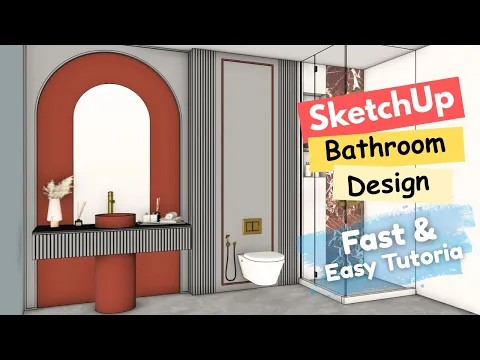
Modern bathroom modeling
Explore interior geometry, vanity details and a coordinated material palette.
Explore interior tutorials
Modern bedroom modeling
Practice room proportions, a feature wall and organized interior geometry.
Explore the bedroom project