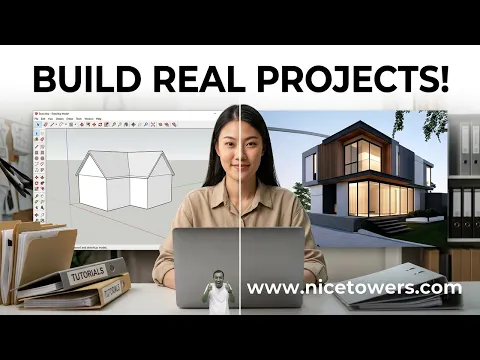
online SketchUp courses video — Watch and Practice
Watch the Nice Tower course introduction and consider how guided practice can connect individual tutorials with a finished project. This page is an introduction to planning your learning, not a substitute for the current course details. Use the linked course catalogue to compare formats and read the information for the specific class you are considering before choosing a learning path.
online SketchUp courses video: 4 steps to practice
1. Choose a project goal
Describe a small project you want to complete: a room, a furniture object or a manageable architectural model. Identify which steps you can already do and where you need help. A specific goal makes it easier to choose relevant practice and to ask useful questions. Avoid judging progress only by how many videos you have watched.
2. Practice the modeling sequence
Work through the geometry, organization, materials and presentation stages in a clear order. Save intermediate versions so you can review what changed. If a step is unfamiliar, repeat it on a small isolated example before adding it to the full project. A clean model and a clear explanation of your choices are valuable outcomes of the exercise.
3. Compare learning formats
Read the current information for group, duo and private training where available. Consider the class size, schedule and type of feedback you need. The introduction gives context, while each course page describes its own arrangement. Check the published details rather than assuming that every format includes the same timing, tools or support.
4. Build a project record
Keep selected views of the model and a short record of the decisions you made. Explain the problem, your approach and the final result when presenting the project. This helps you identify gaps in understanding and choose the next exercise. A portfolio-ready study benefits from deliberate modeling and presentation, not simply a collection of screenshots from unrelated tutorials.
Practice with this online SketchUp courses video
Keep a short record of the inputs, changes and result from your online SketchUp courses practice. Save the starting model and a separate working copy, then note the step at which your result differs from the demonstration. A clear comparison helps you decide what to repeat and makes a later question easier to explain. Repeat the exercise with one deliberate variation after the original example is understood.
When reviewing online SketchUp courses, compare the result with the purpose of the exercise rather than only its appearance in a screenshot. Check the project from another view, inspect the important geometry and identify which choices depend on your software version or project brief. Keep the useful decisions and revise the ones that do not support your own design. The video remains a visual learning reference, while your project requirements determine the final result.
Plan a useful learning session
Choose one specific outcome for a practice session. For example, organize an interior model, build a repeated component or present a small architectural study. Keep that outcome narrow enough to evaluate at the end of the session. A clear task makes it easier to compare your progress with the guidance and to identify the next skill you need.
Collect questions while you practice. Note the step, the expected result and what happened in your file. Keep a small example that demonstrates the problem rather than bringing only a large unfinished project. This helps a learning conversation focus on the actual modeling decision and makes feedback easier to apply when you return to your work.
Review the finished exercise and explain the choices you made. Save a useful model view, an example of the structure and a short description of the result. Then choose the next exercise from the gap you identified. This provides a practical sequence between individual lessons and a coherent project instead of treating every tutorial as an unrelated task.
Resources for this online SketchUp courses video
After watching this online SketchUp courses video, open Online SketchUp Courses. Then explore Free tutorial collections for a related next step. Choose a resource that addresses the task you are practicing; you do not need to follow unrelated lessons simply to complete this exercise.
Online SketchUp Courses
Read the companion guide and compare its resources with the operation shown in this video.
Open companion guide →Free tutorial collections
Use this related collection to plan the next practical task for your own project.
Explore related resources →Choose a learning sequence
Start with the skill you need for a current project and choose a course or lesson that addresses that skill directly. Review the stated prerequisites before planning the practice schedule. Keep enough time between lessons to rebuild an example independently, because watching several demonstrations in succession can conceal gaps in understanding. Save a small project at the end of each practice session and note the commands you had to look up again.
Revisit those points before moving to a more complex task. Compare the course outline with your existing knowledge so that introductory material and advanced work are used appropriately. Check access, software requirements and the intended learning outcome on the course page before enrolling. Use free tutorials to explore a topic, then decide whether structured instruction would help you practice it more consistently.
online SketchUp courses video: common questions
Where can I compare the current classes?
Open the course catalogue and then the page for each format. Use those published details to compare the schedule, class size and support available.
What should I do if the video does not play here?
Use the original YouTube link above to open the same video directly. Availability and any access requirements are controlled by the video owner. The embedded player retains its normal playback and full-screen controls.
How can I practice online SketchUp courses after watching?
Follow the four-step plan on this page, save your starting model and compare one small variation with the original result. Return to the relevant part of the video when a step needs another review.